Invoice generator
Free invoice generator that looks as good as your work
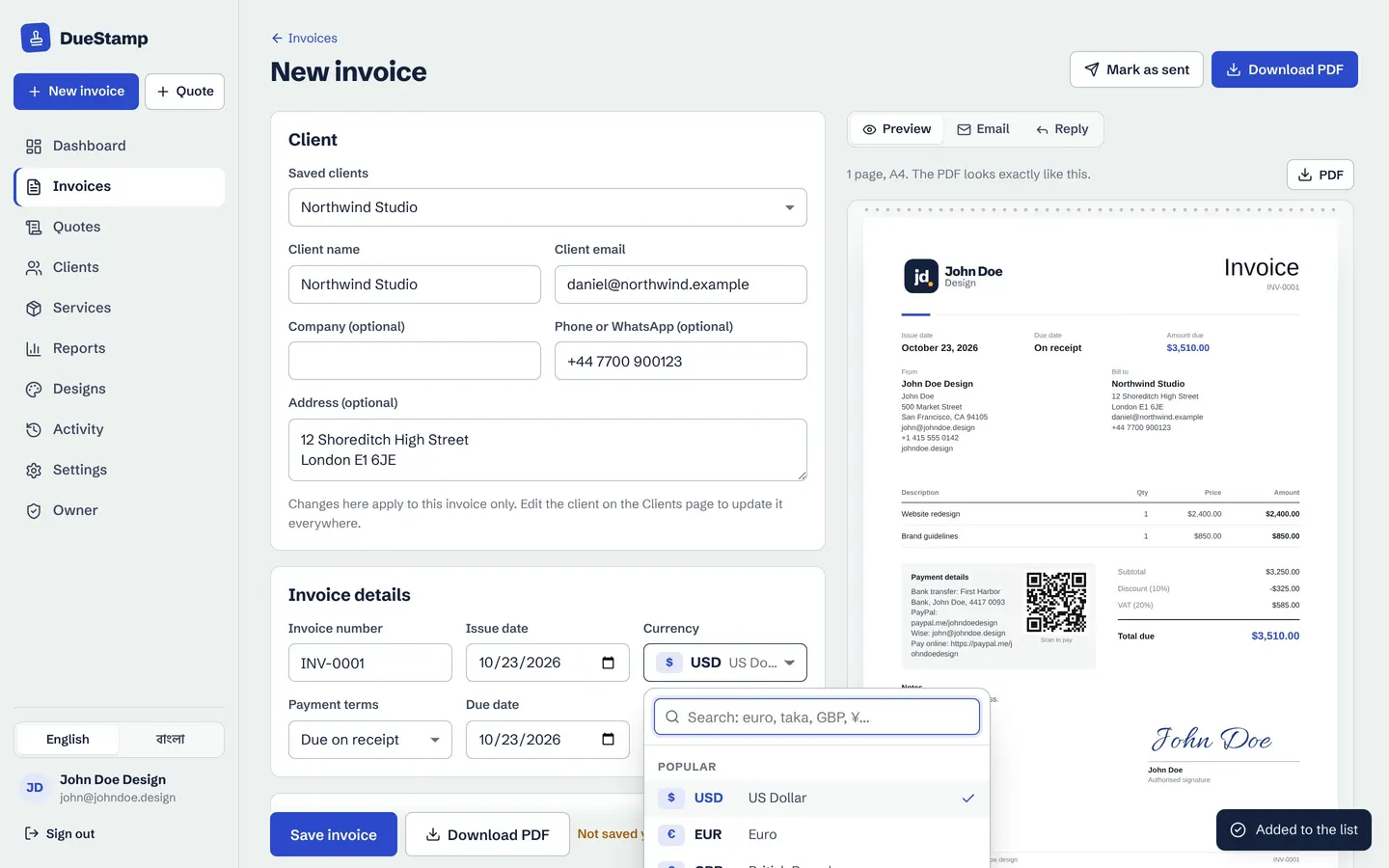
Fill in a short form and watch your invoice build itself beside it. Add your logo, items, discount and tax, then download a crisp PDF or send a link your client can pay from.
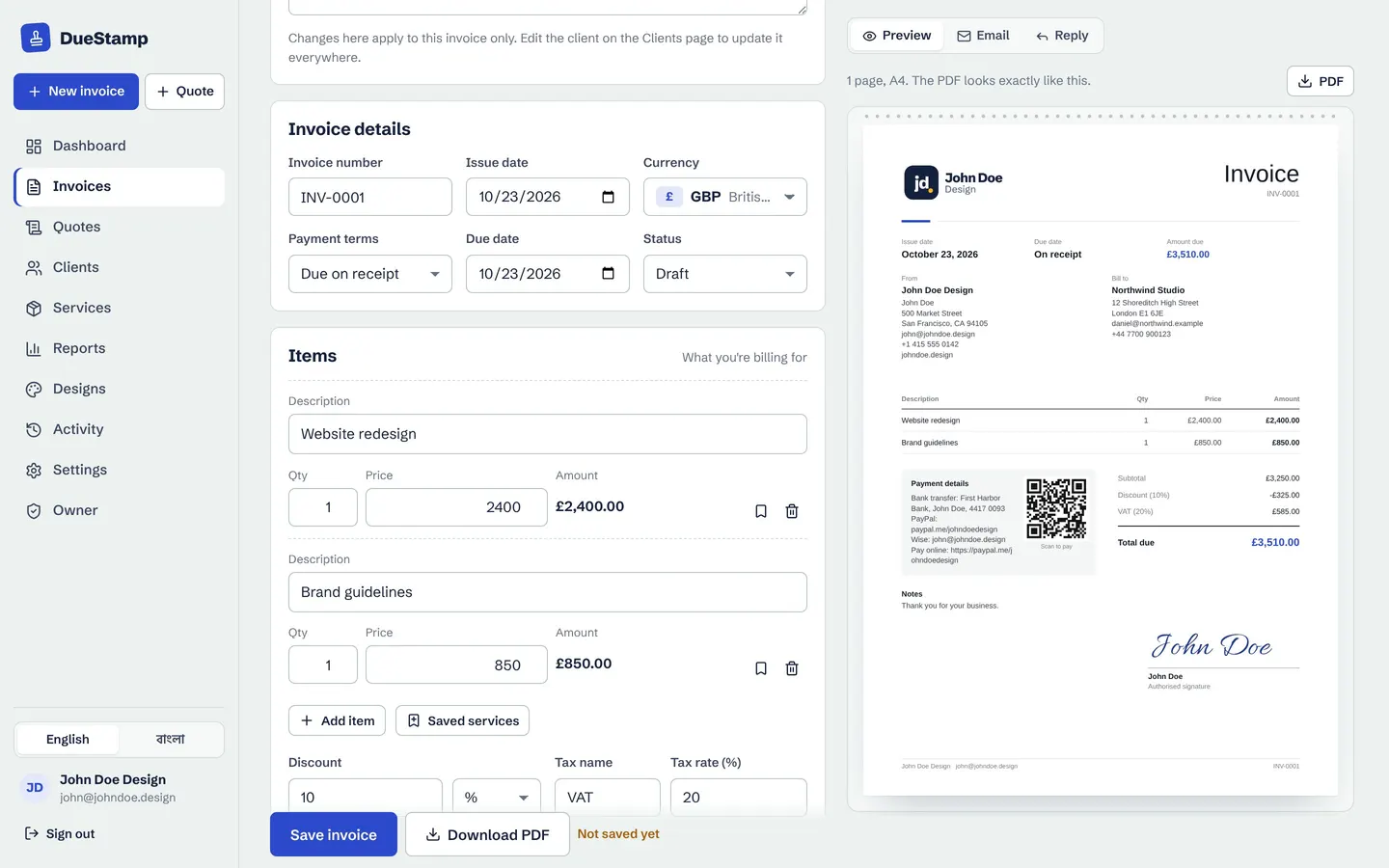
Live preview
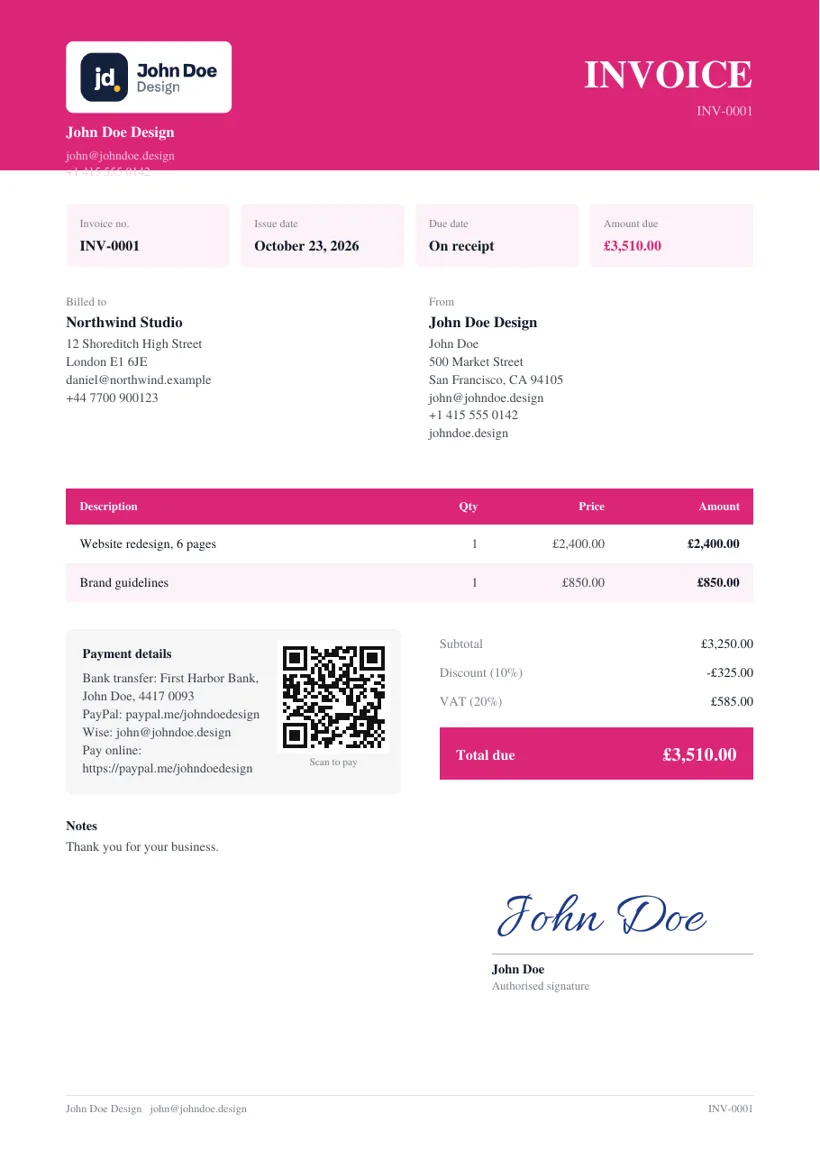
What you see is exactly the PDF you send
The preview updates as you type, page by page, in the same layout as the downloaded PDF. No surprises when your client opens it, and no fiddling with margins in a word processor.
- Invoice number, issue date and due date filled in for you
- Payment terms like "Due on receipt" or "Net 30" set the due date
- A4 or US Letter page size
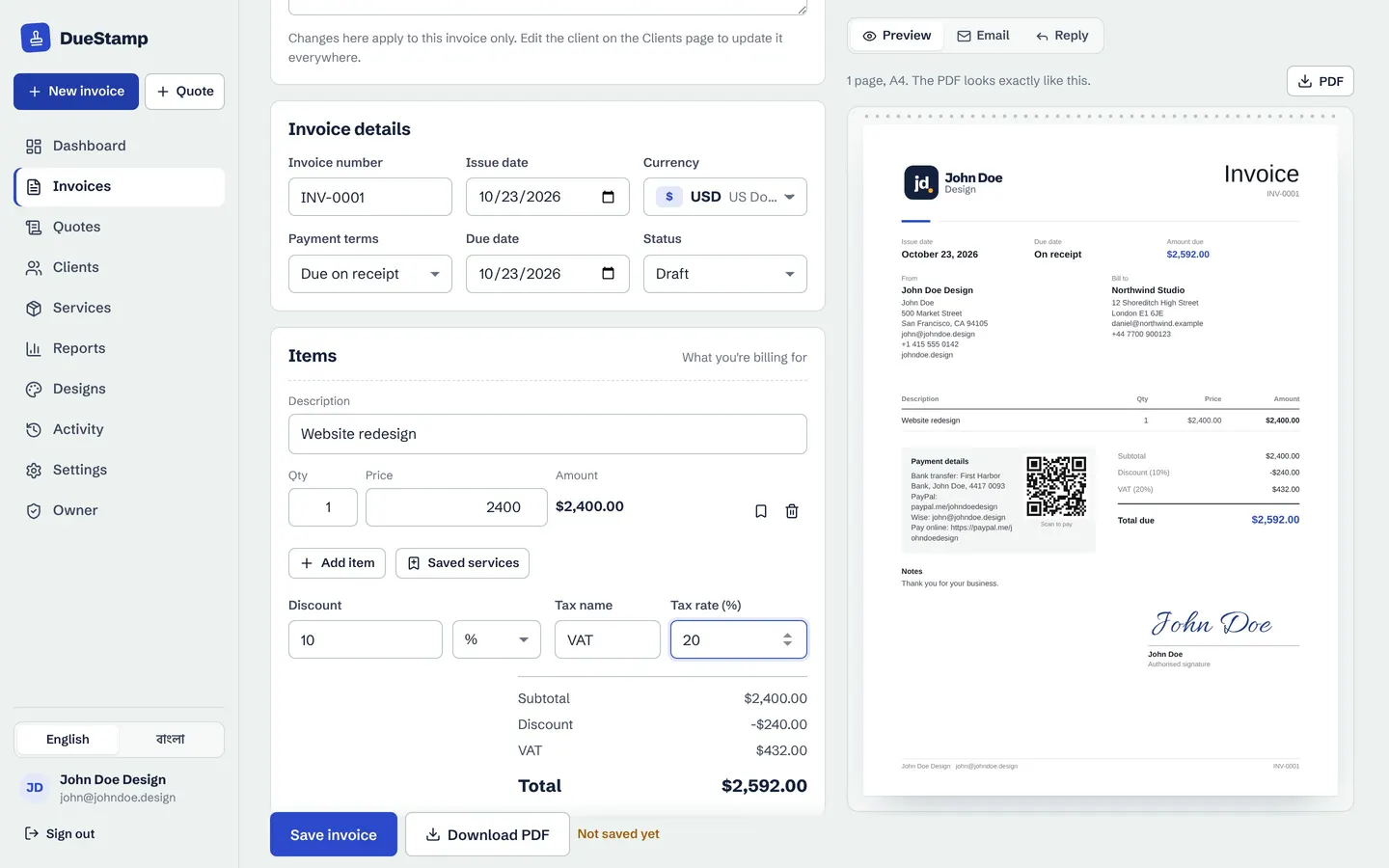
Items and totals
Discounts, tax and totals done for you
Add as many lines as you need with quantity and price. Apply a percentage or fixed discount and a tax such as VAT, GST or sales tax with your own label and rate. Subtotal, discount, tax and total are worked out to the right decimals for the currency.
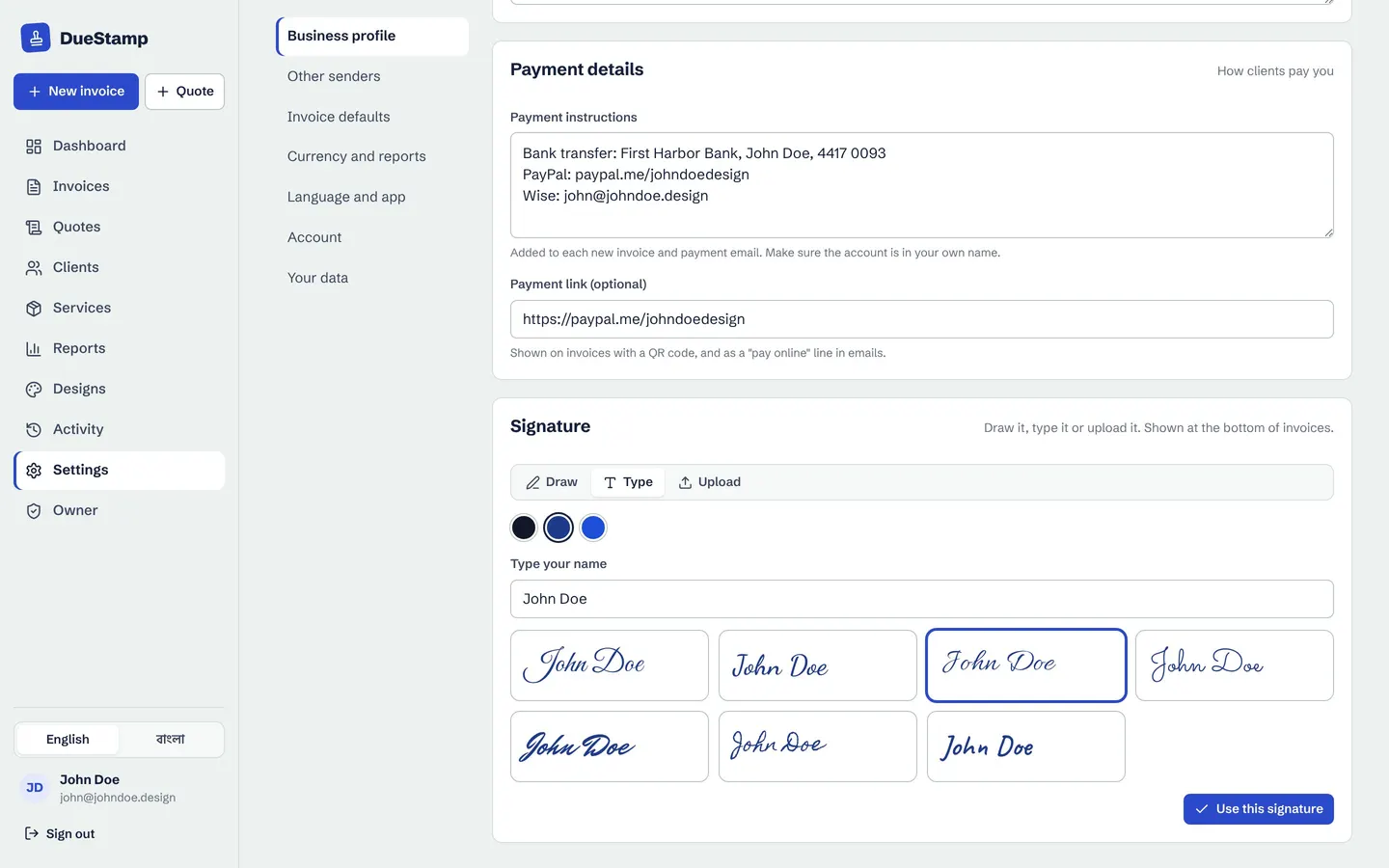
- Save what you sell as services and add them in one click
- Prices convert when the invoice is in another currency
- Notes, terms and late-payment wording you can reuse
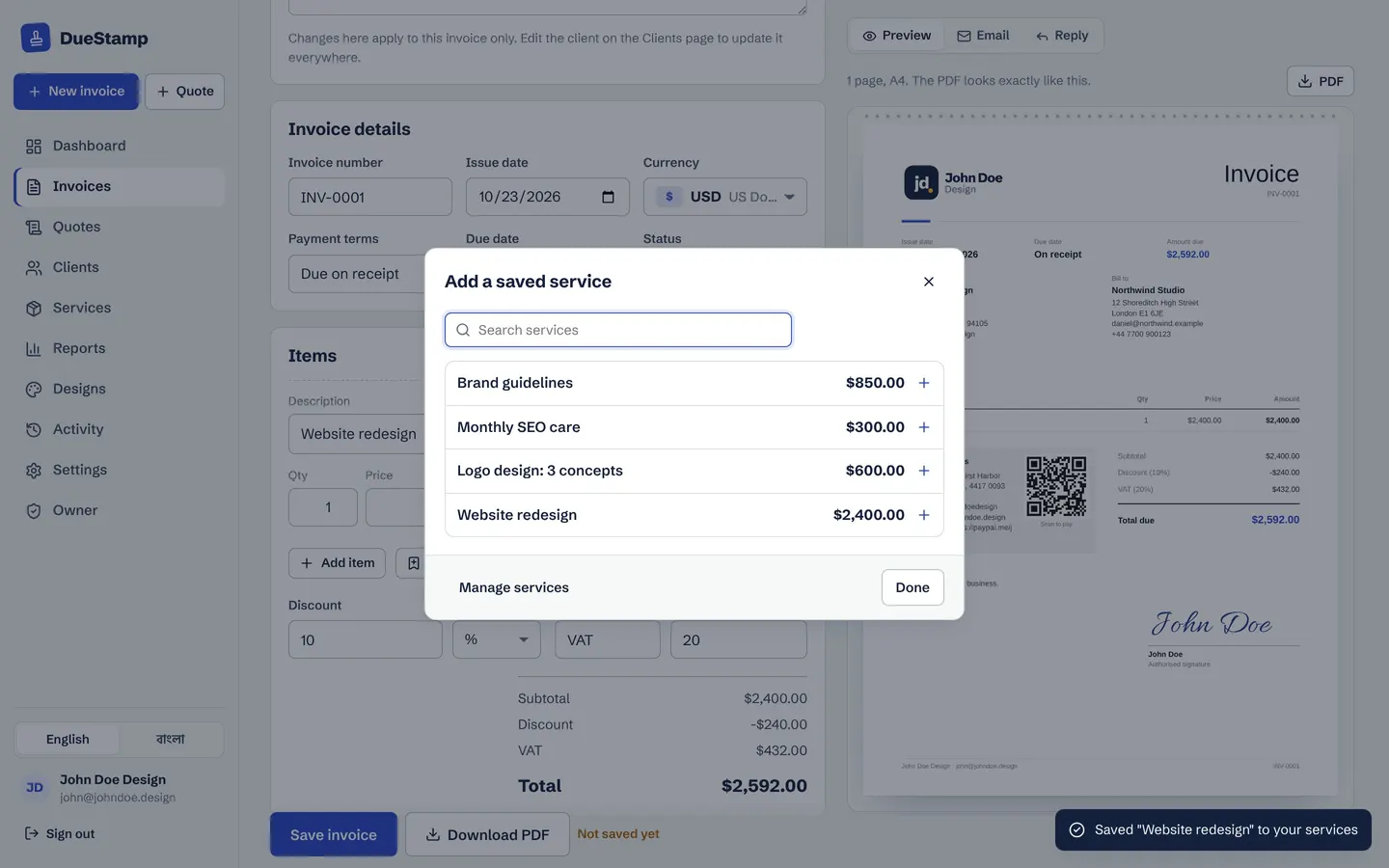
Your brand
Your logo, your signature, your payment details
Upload your logo once in Settings and it appears on every invoice. Add a signature by drawing it, typing it in one of seven handwriting styles, or uploading an image. Put your bank, PayPal, Wise, Payoneer or mobile money details in the payment box, and add a payment link that turns into a QR code.
Want a different look? Pick one of 20 invoice templates and change the colors and font.
- Paid stamp and Draft watermark
- Logo, QR code, signature and notes can each be shown or hidden
- Works the same on a phone
Send it
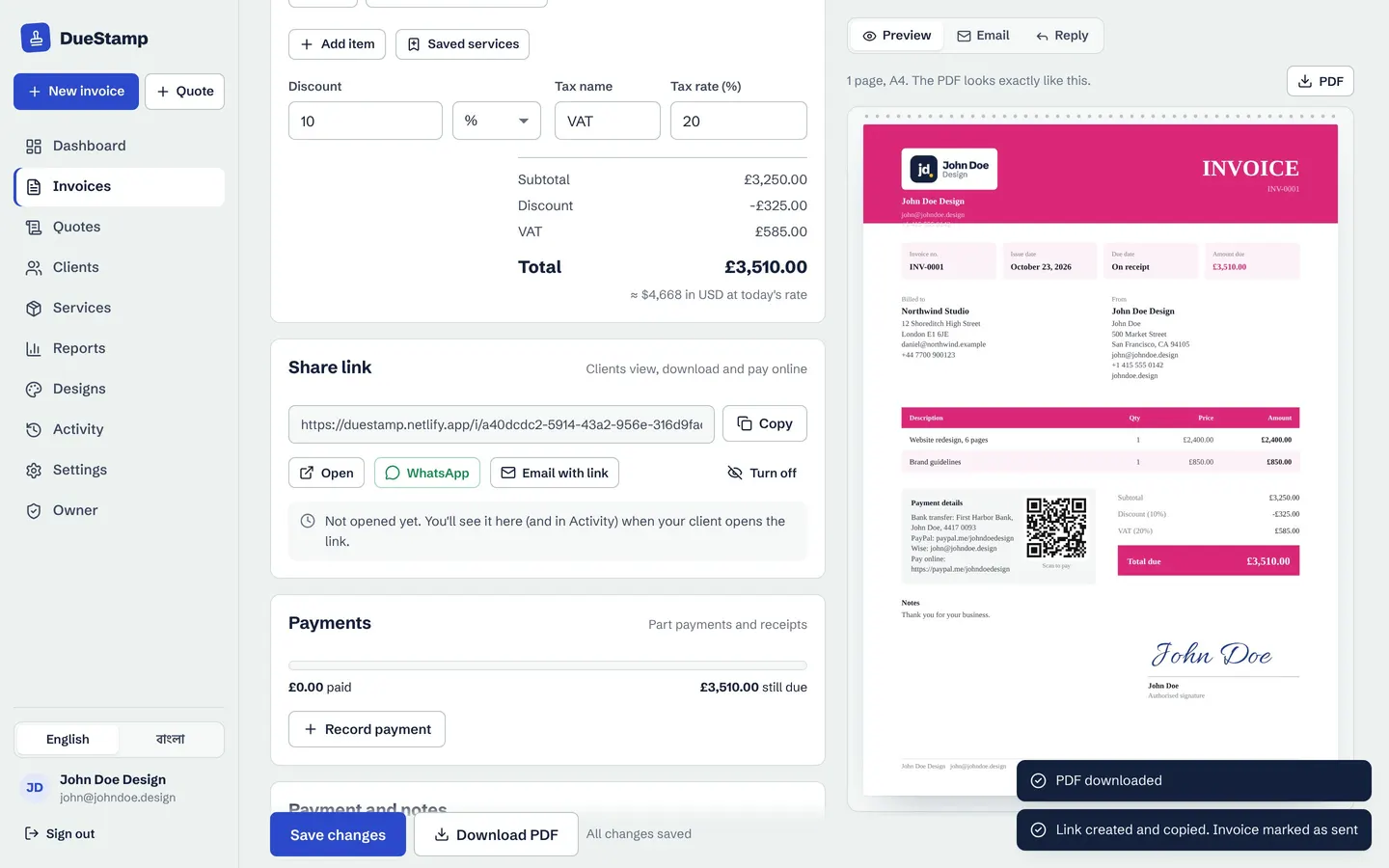
Download the PDF or send a link instead
Download a PDF to attach to an email, or copy a share link. The link opens a clean page with the invoice, a Pay now button that goes to your own payment link, and the PDF. You can see when your client opens it, and send it on WhatsApp with a message already written.
How it works
Your first invoice in four steps
- 1
Create a free account
Sign up with your email or Google. Add your business name and logo once in Settings.
- 2
Add the client and items
Type the client's name and email, or pick a saved client. Add items, discount and tax.
- 3
Choose the look and currency
Pick a design and a currency. The preview shows exactly what your client will get.
- 4
Download or share
Save the PDF or copy the link. Mark it as sent and DueStamp keeps track from there.
Questions people ask
Is the invoice generator really free?
Yes. DueStamp is free to use and there is no credit card to add. There are no paid plans hiding the PDF download or the templates.
Do I need to sign up?
You create a free account so your invoices, clients and numbering are saved and private to you. Sign up with an email address or with Google.
Can I make an invoice on my phone?
Yes. The editor works on phones and tablets, and you can install DueStamp on your home screen like an app, without an app store.
Does DueStamp take a cut of my payments?
No. Your client pays you directly using the payment details or payment link you put on the invoice. DueStamp never handles the money and charges no fees.
Can I add VAT, GST or sales tax?
Yes. Add a tax with your own label and rate, and the total is calculated for you. Check your local rules for what your invoices must show.
Works well with
Invoice templates
Pick from 20 invoice designs and change the colors, font, table style and title to match your brand.
Learn moreInvoice tracking
Send a link instead of an attachment and see when your client opens it, with a clear status for every invoice.
Learn morePayment reminders
Polite, firm or short: the right reminder email is written for you and opens in Gmail or Outlook.
Learn moreGuides on this topic
Your next invoice, done in about a minute
Free to use. No credit card. Your invoices stay private to your account.