Example workflow
From quote to paid: one month of invoicing for a freelance designer
Follow a sample freelancer through a normal month in DueStamp. Two clients in two countries, one quote, one part payment, one monthly retainer, and every tool used along the way.
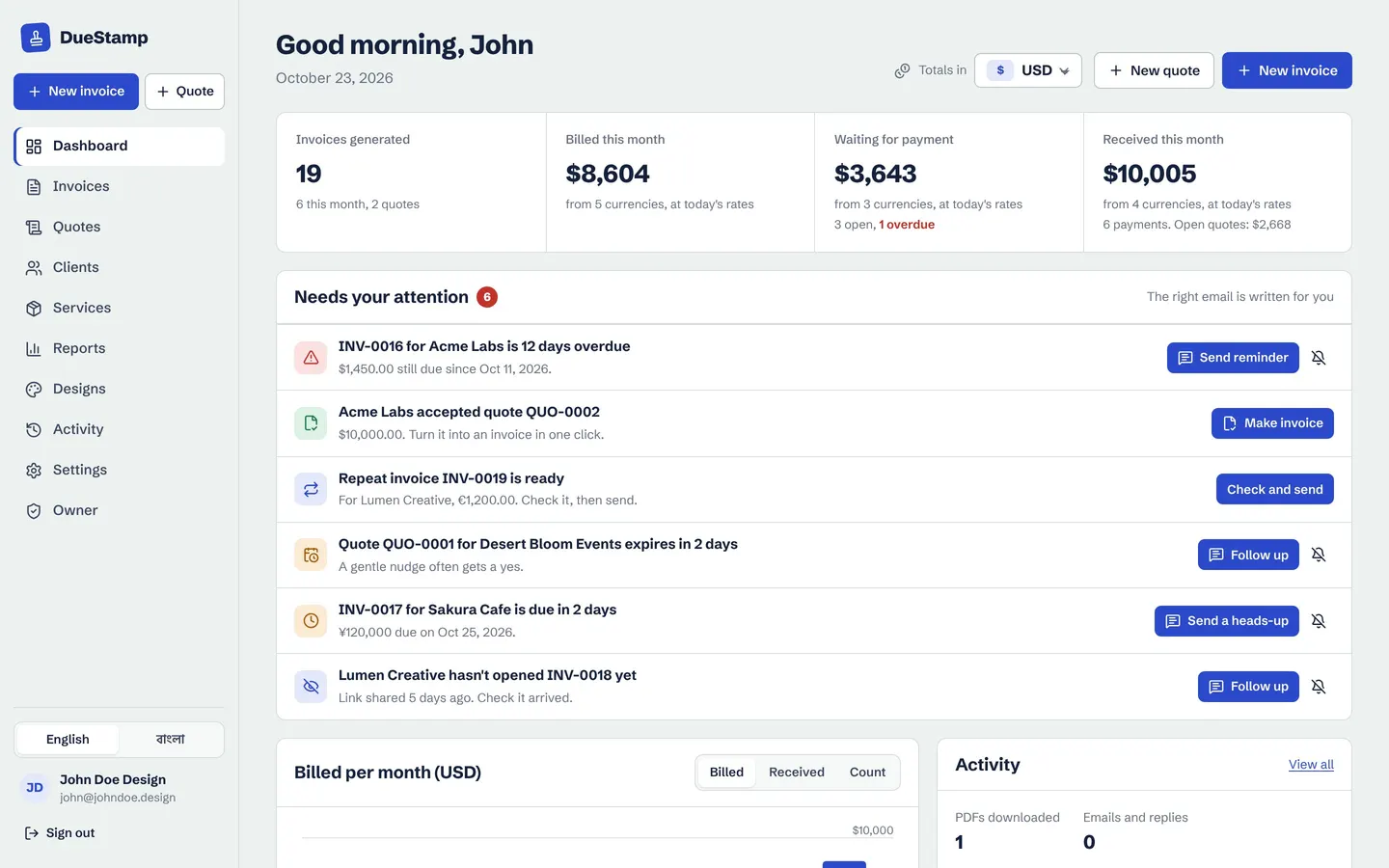
The starting point
John designs websites and brands. Most of his clients are abroad, a few pay every month, and nearly every project starts with someone asking "how much?" Before DueStamp his invoices lived in a word processor file he copied and edited each time. The numbers were his job to check, he never knew if a client had opened the PDF, and month end meant digging through emails to work out who still owed what.
Here is how the same month looks with every step in one place.
The month, step by step
Nine moments, one tidy month
Each step uses a different part of DueStamp. Click any link to read more about that tool.
- 1
Day 1: Save the services he sells
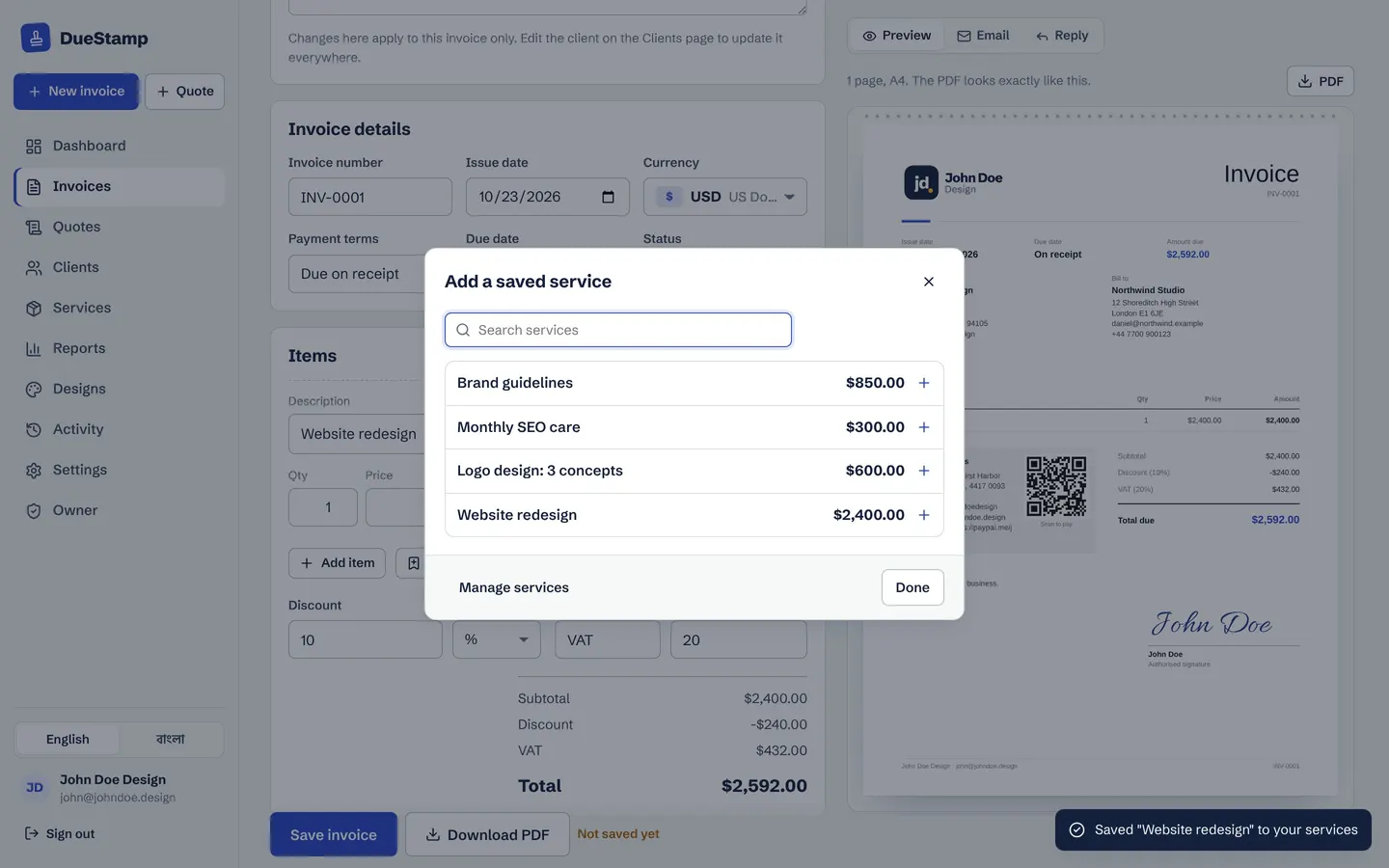
John adds the work he sells most to his invoice maker as saved services: website redesign, brand guidelines, logo design and a monthly care plan, each with a price. From now on he adds them to any quote or invoice in one click, and the price converts if the invoice is in another currency.
- 2
Day 2: A quote for Acme Labs, accepted from a phone
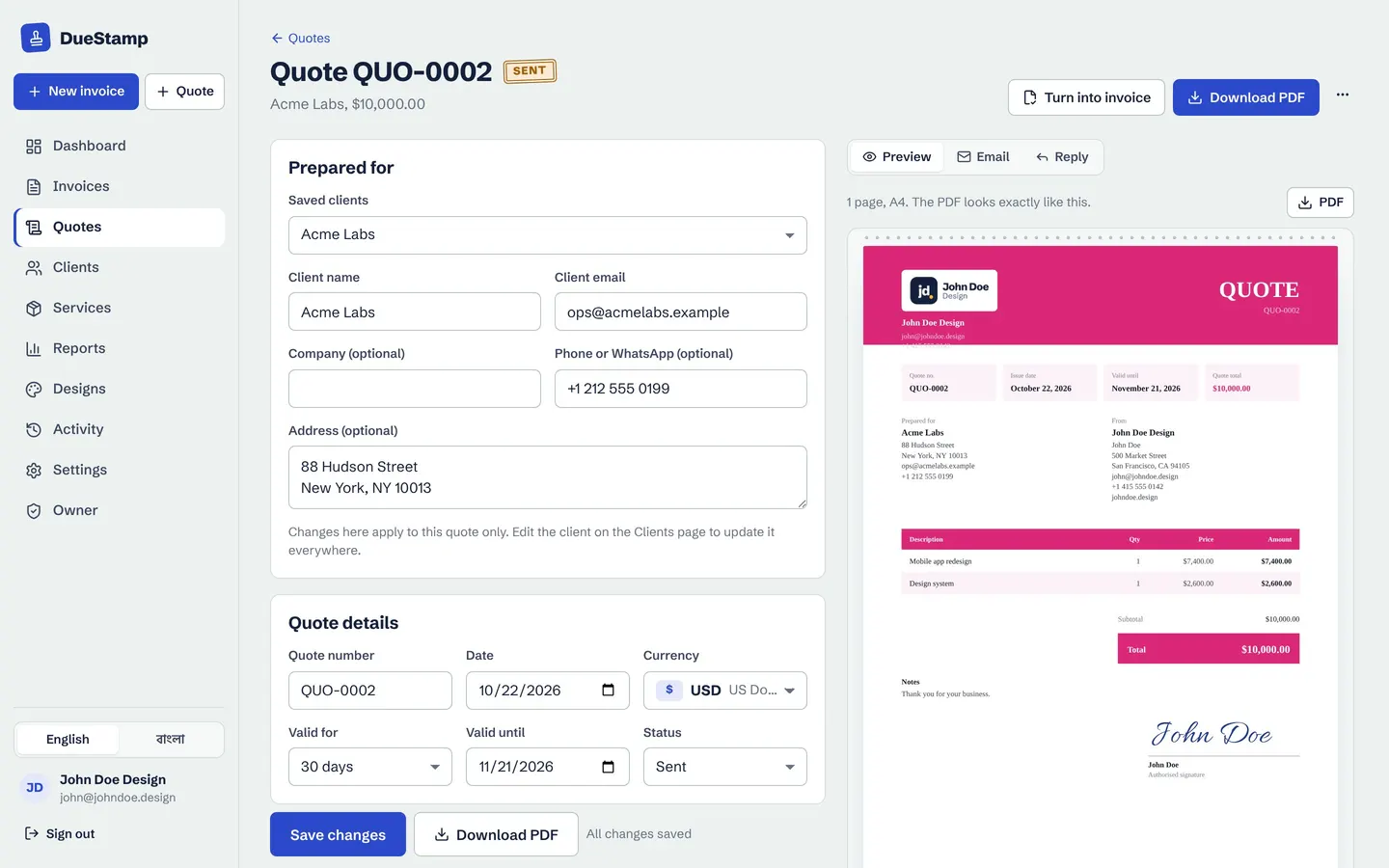
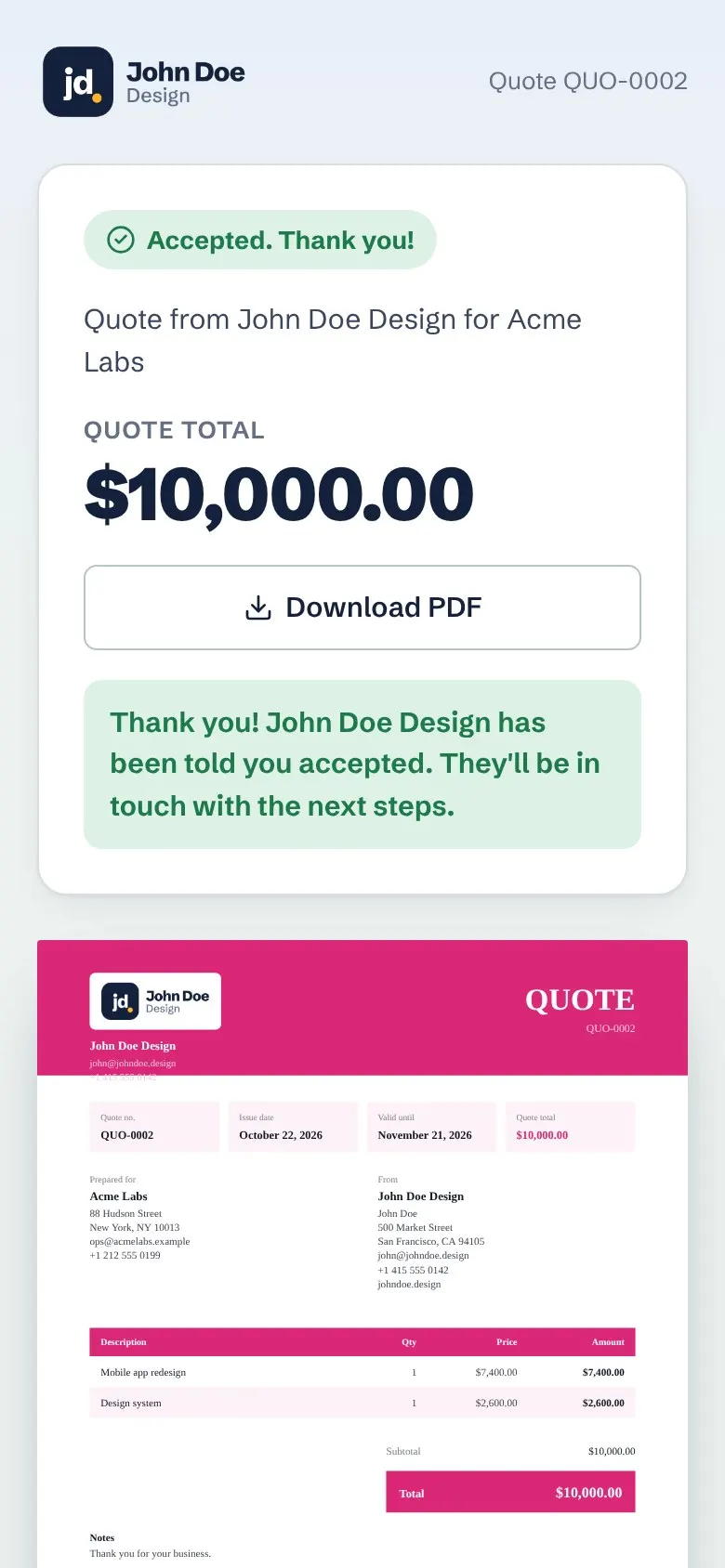
Acme Labs in New York asks for a price first, so John sends a quote in US dollars with a valid-until date. He shares it as a link. The client opens it on their phone, reads it and taps accept. The quote is marked accepted in John's account.
- 3
Day 3: The accepted quote becomes an invoice
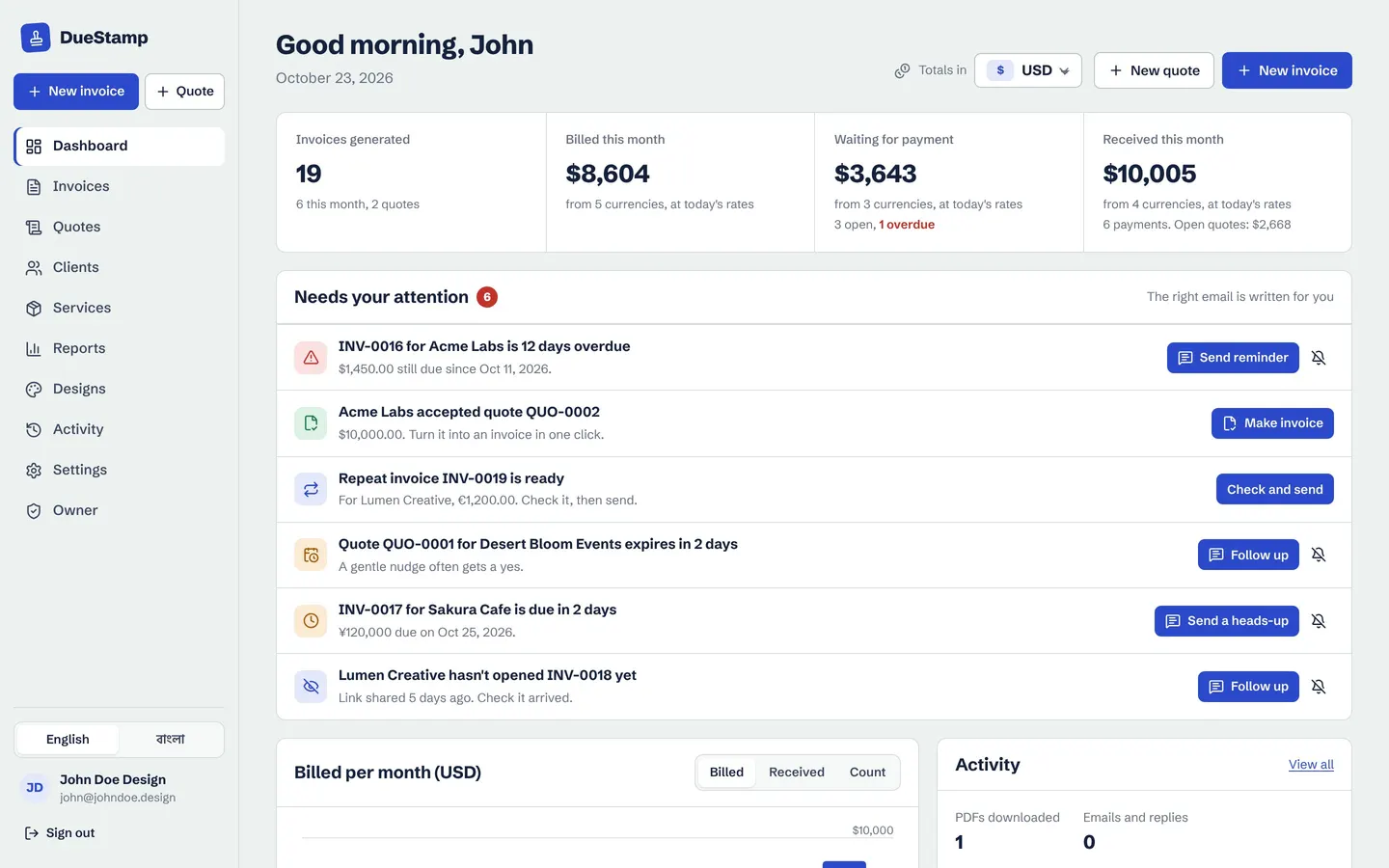
The next morning his dashboard lists the accepted quote under Needs your attention, with a Make invoice button. One click copies the client, items and prices into a new invoice with its own number. Nothing is typed twice.
- 4
Day 5: A GBP invoice for Northwind Studio in London
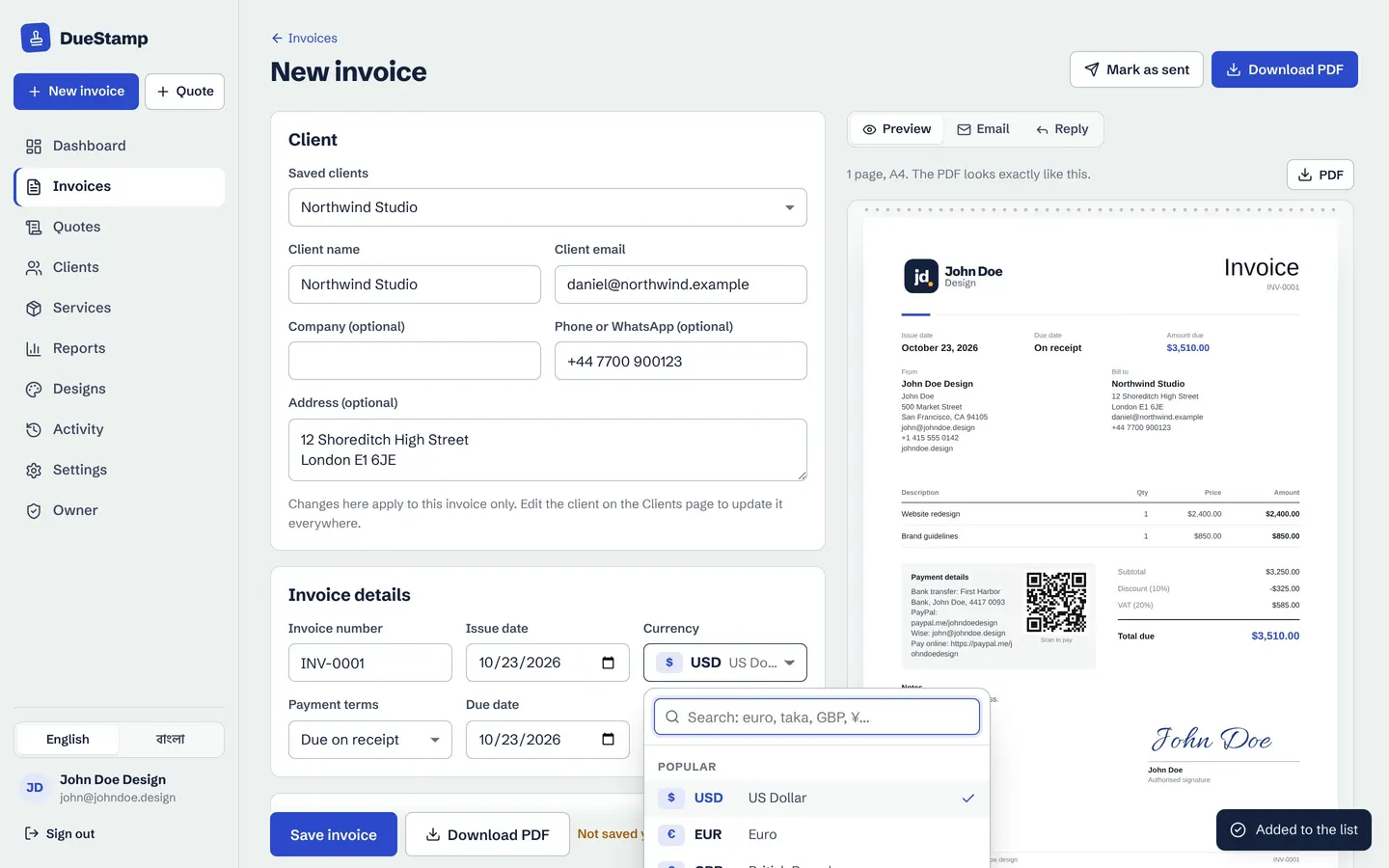
For the website redesign John bills Northwind Studio in pounds. He picks GBP from the currency list, adds the redesign and brand guidelines, a discount and VAT, and the preview updates as he types. His home currency stays US dollars, so his dashboard still shows one clear total.
- 5
Day 5: Sent as a link, and he can see it was opened
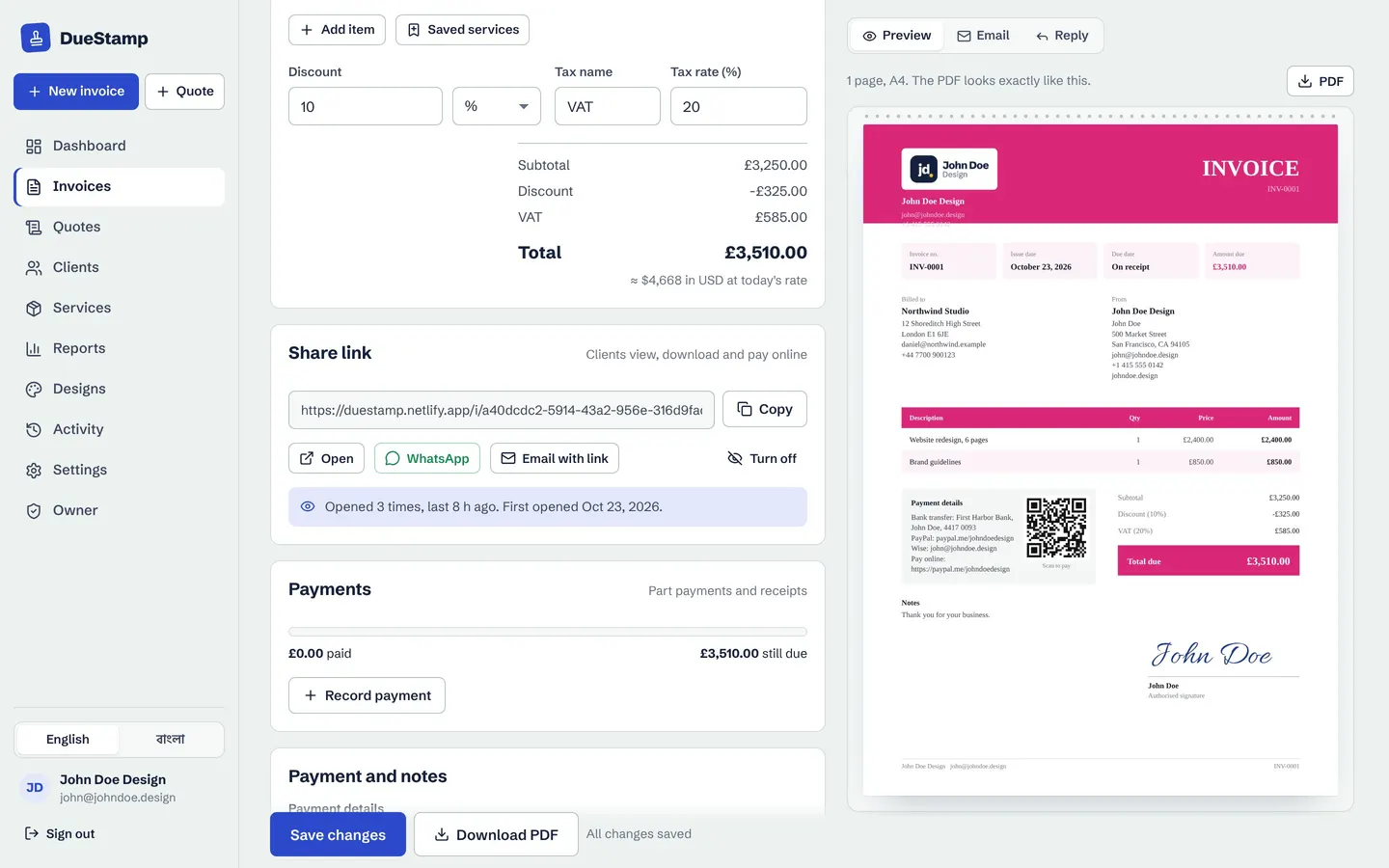
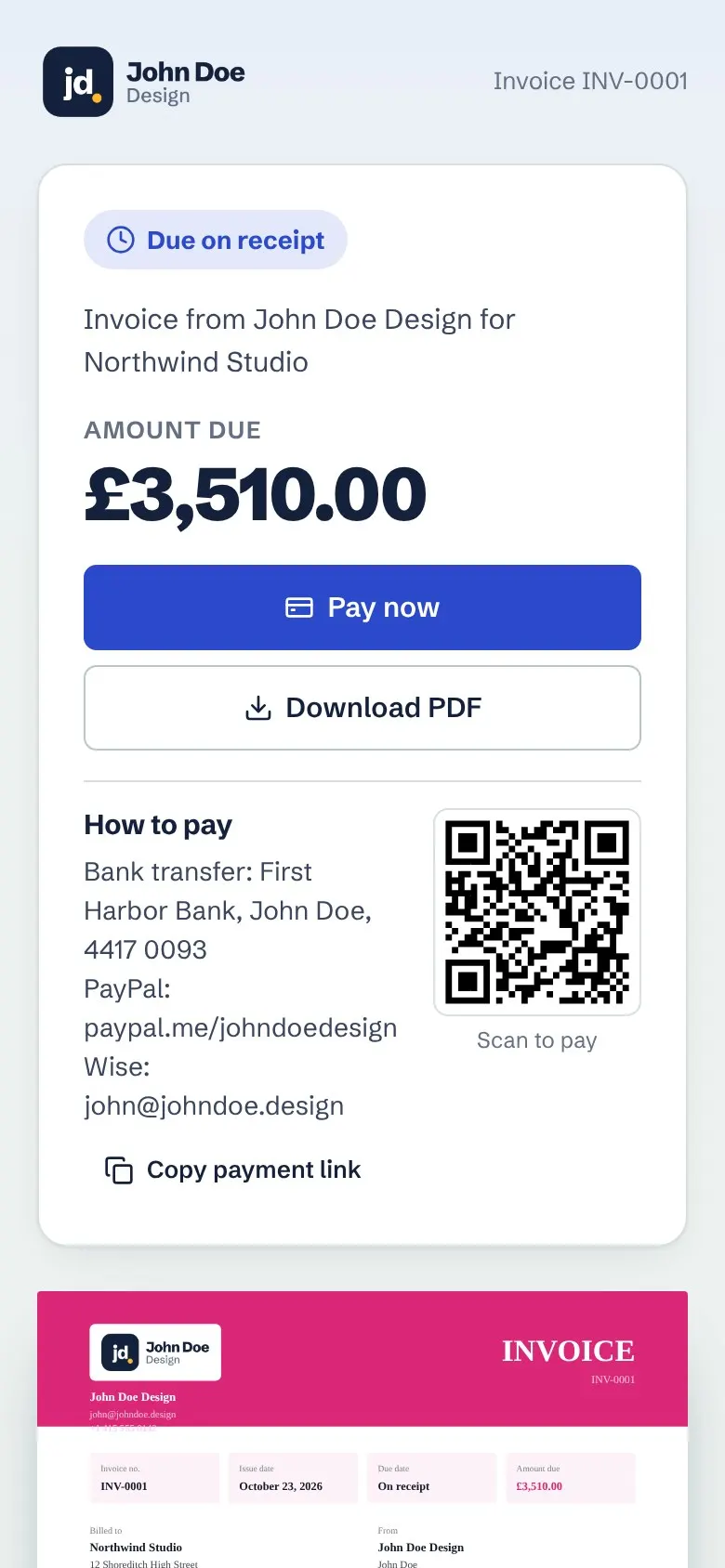
Instead of attaching a file, John copies the share link and sends it. Northwind opens a clean page with the invoice, a Pay now button and the PDF. Back in DueStamp, invoice tracking shows the link was opened, how many times, and when it was first seen.
- 6
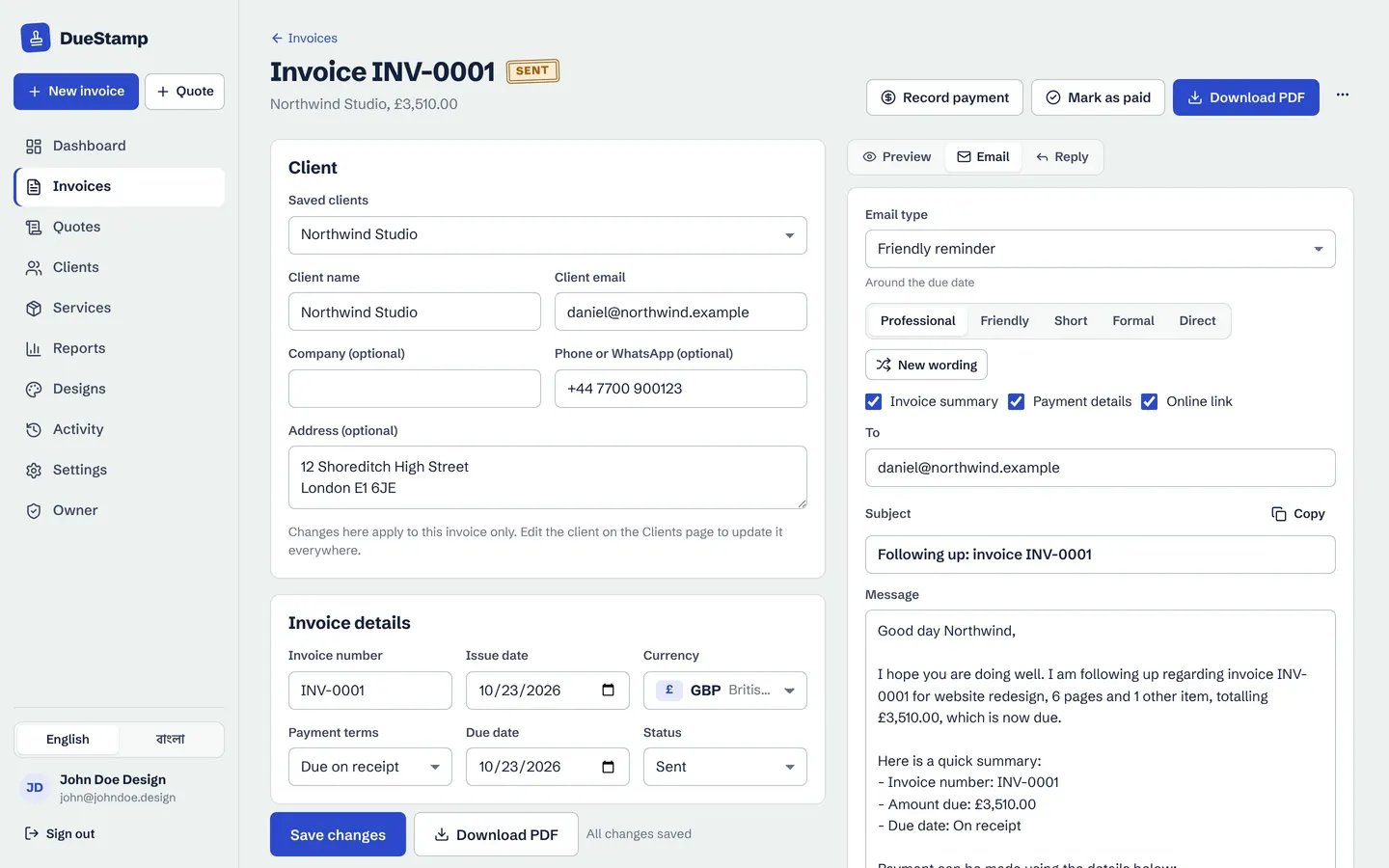
Day 12: A friendly reminder, written for him
The due date is close and nothing has arrived yet. John opens the Email tab, picks Friendly reminder and a tone, and the email is written with the invoice number, amount, due date and payment details filled in. He reads it, changes a word, and opens it in Gmail to send from his own address. Our guide to payment reminder emails shows more examples.
- 7
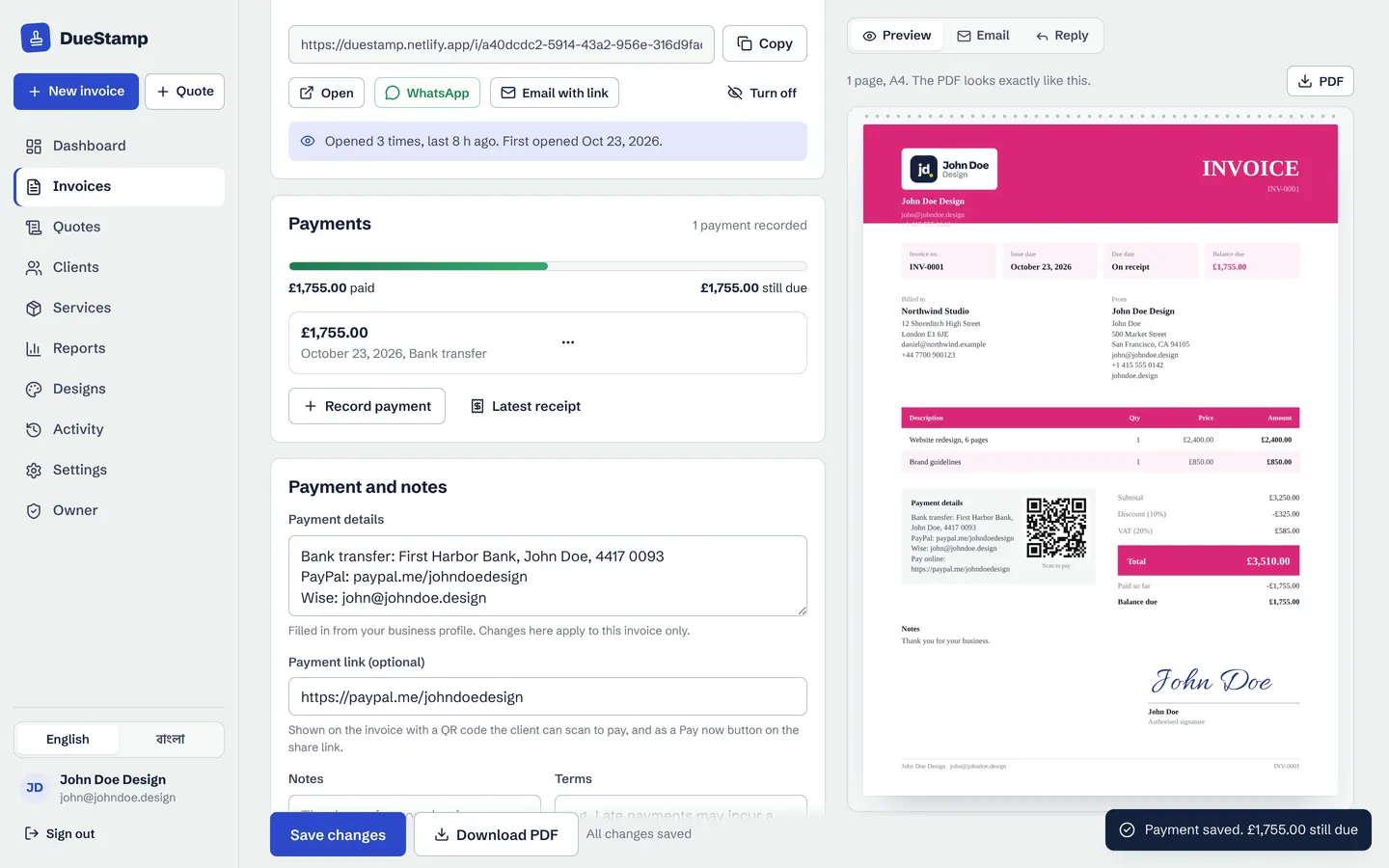
Day 16: Half paid now, half later, with a receipt
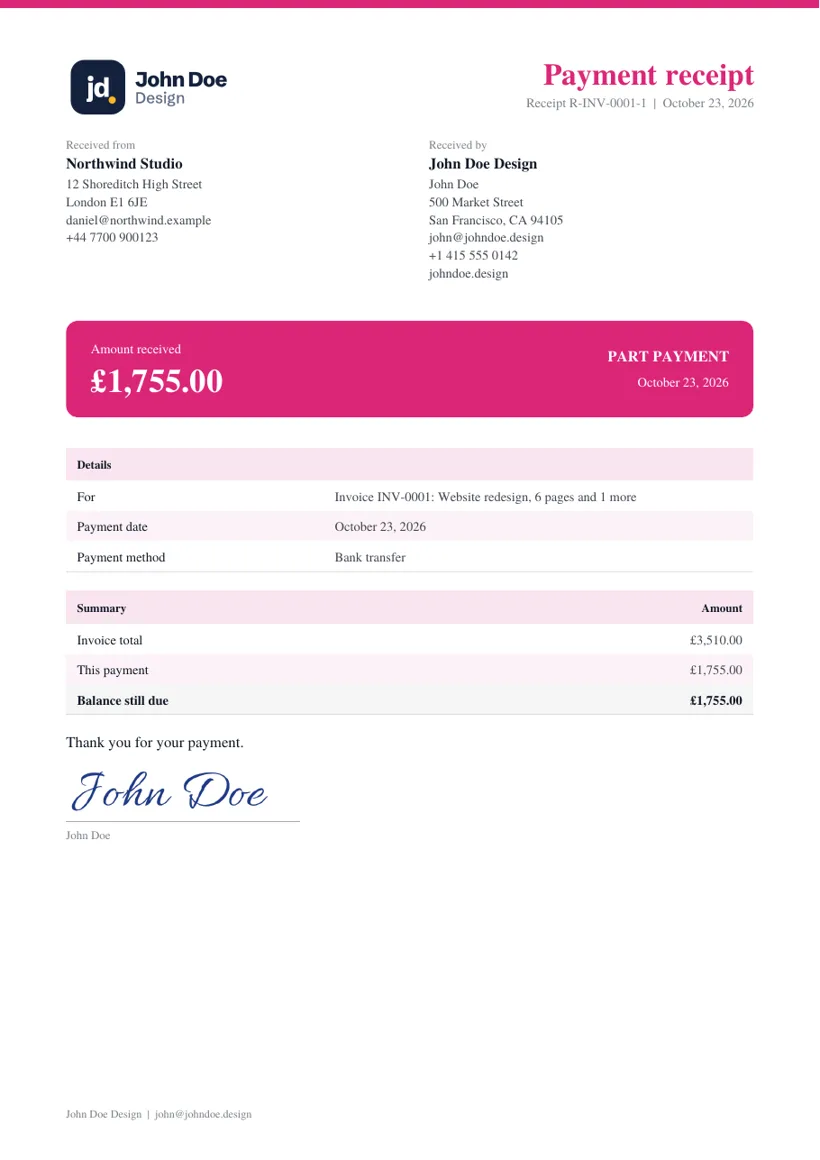
Northwind pays half straight away. John records the part payment with the date and method, and DueStamp shows what is paid and what is still due. He downloads a payment receipt PDF for the client. When the balance arrives later in the month, he records it and the invoice is marked paid in full.
- 8
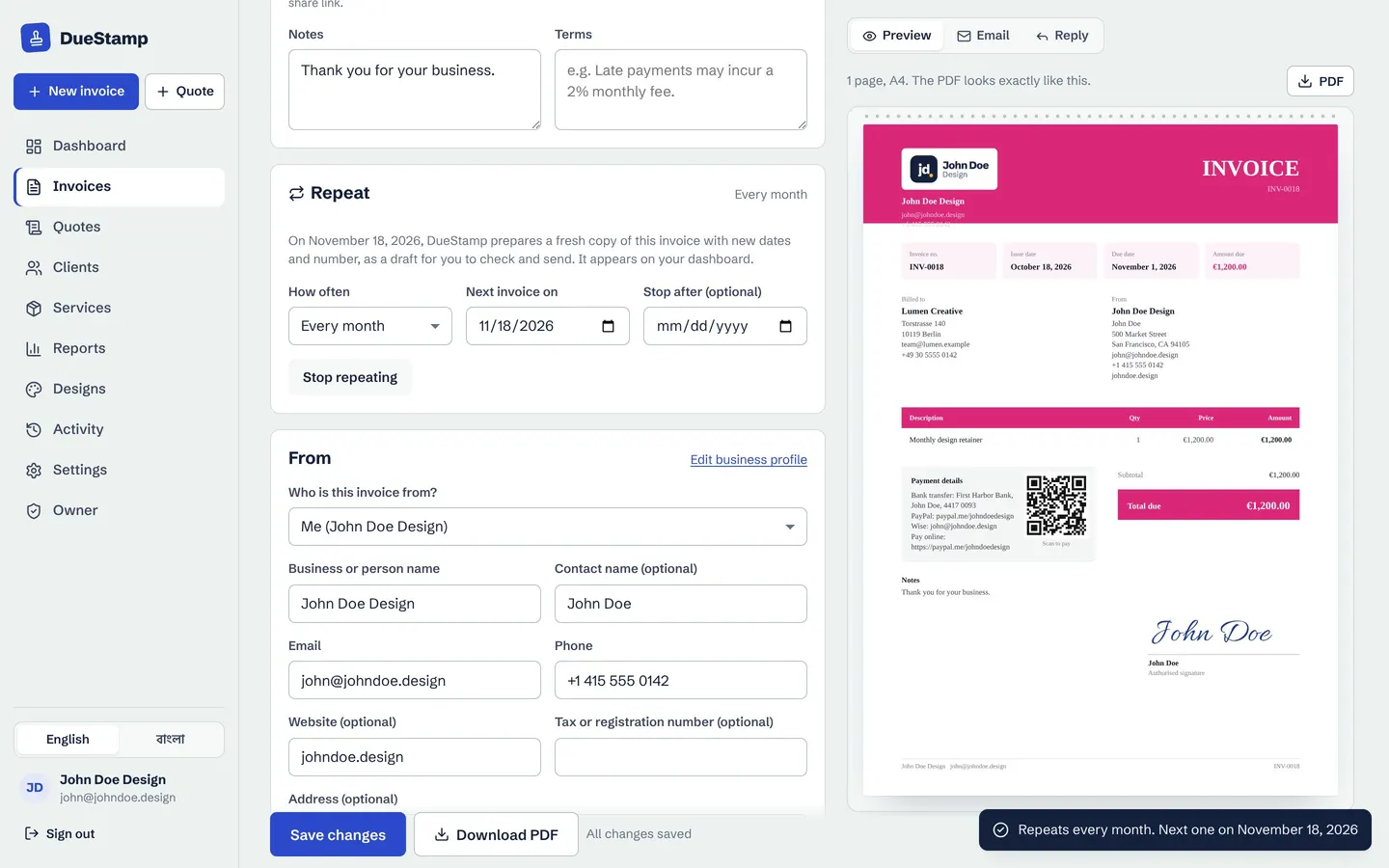
Day 20: The monthly care plan repeats itself
John's retainer client, Lumen Creative, pays the same amount every month. He turns on Repeat on that invoice and picks Every month. Each month the next invoice is prepared as a draft and shows up on his dashboard, so he can check it and send it. It never goes out without him.
- 9
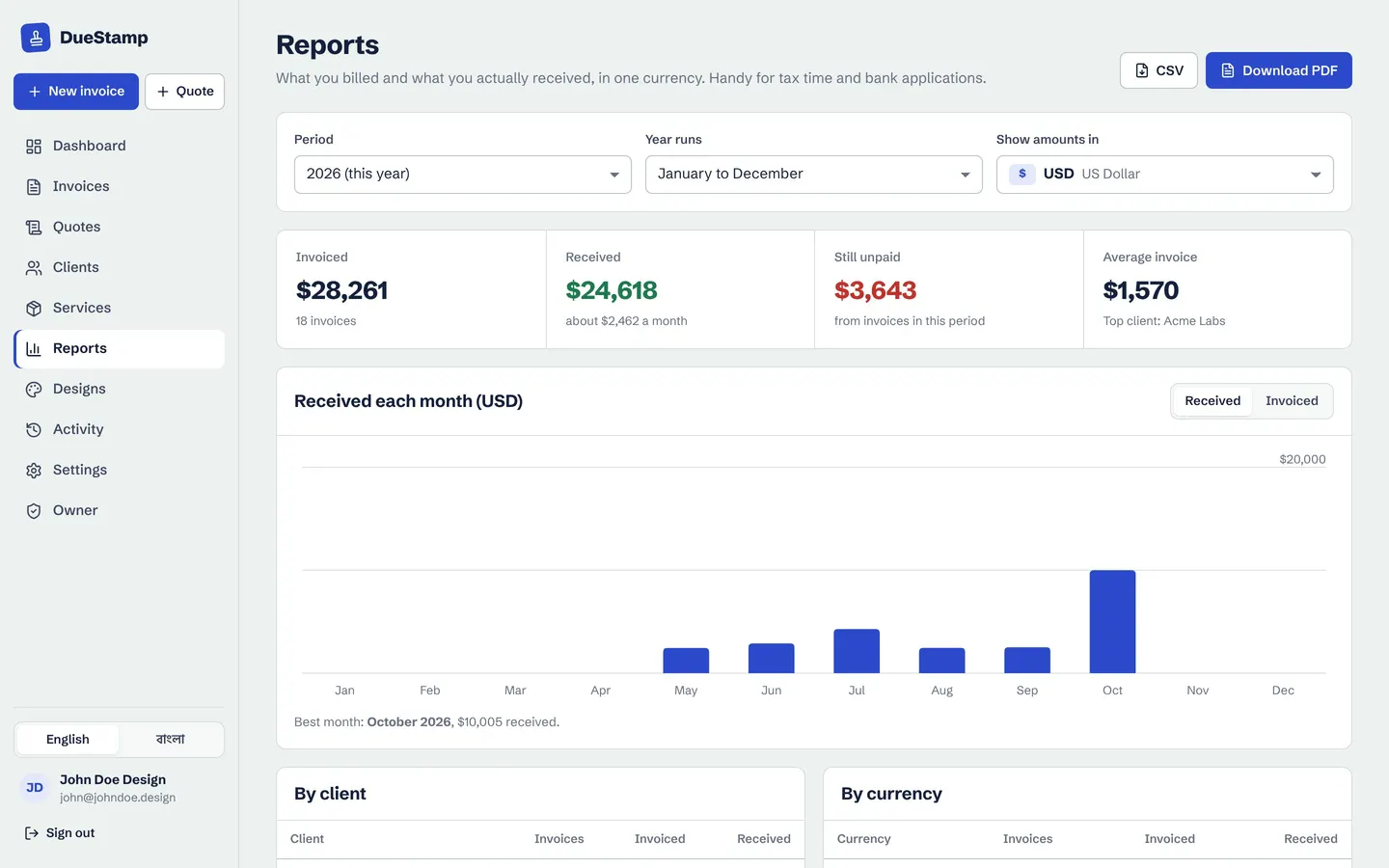
Day 31: Month end in two minutes
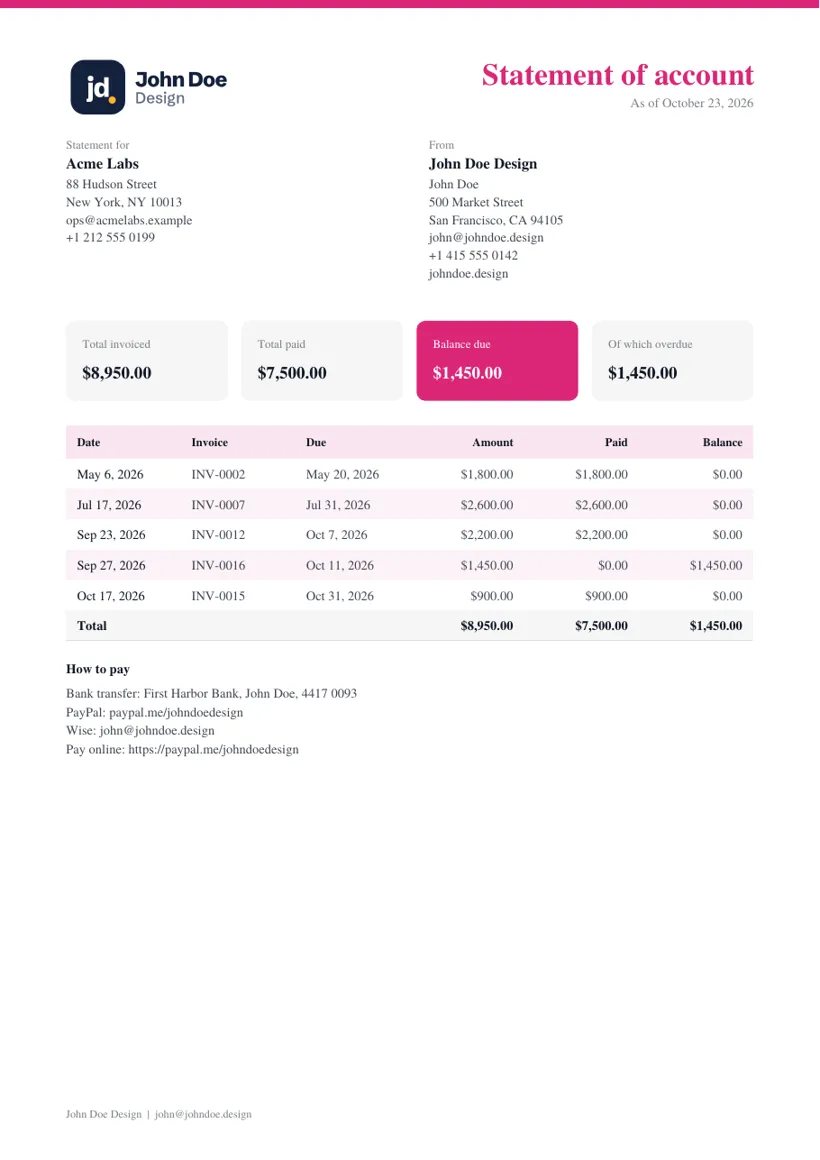
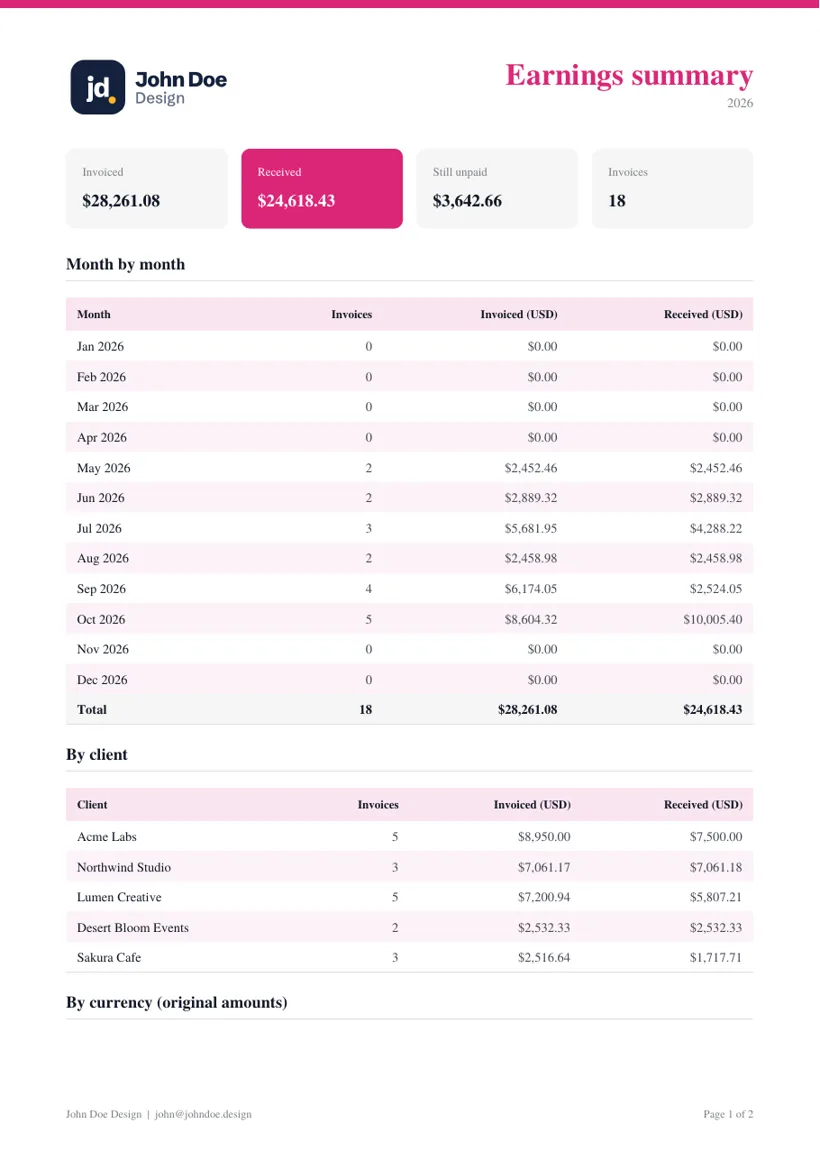
On the last day John opens Reports to see what he invoiced and what he actually received, by month, by client and by currency, all converted to US dollars. He downloads a client statement for Northwind, with every invoice, payment and balance on one PDF, and a CSV for his accountant.
Takeaways
What this example shows
The difference is that every step happens in one place, with the numbers worked out for you.
- A quote turns into an invoice in one click once the client accepts it
- You can bill each client in their own currency and still see one total in yours
- A share link tells you the invoice was opened, so you stop guessing
- Reminder emails are written for you, and you send them from your own email
- Part payments, balances and receipts are tracked without a spreadsheet
- Retainers repeat on schedule as drafts you check before sending
- Month end is a report and a statement, not an afternoon of digging
The tools in this example
Each one has its own page with more detail and screenshots.
Quotes and estimates
Send a quote with a valid-until date. Your client accepts it online and you turn it into an invoice in one click.
Learn moreMulti-currency invoicing
Invoice in your client's currency with the right decimals, and see your totals in your home currency.
Learn moreInvoice tracking
Send a link instead of an attachment and see when your client opens it, with a clear status for every invoice.
Learn morePayment reminders
Polite, firm or short: the right reminder email is written for you and opens in Gmail or Outlook.
Learn morePayments and receipts
Record deposits and part payments, see the balance, and send a payment receipt PDF.
Learn moreRecurring invoices
Set a retainer or subscription once. The next invoice is prepared for you to check and send.
Learn moreQuestions about this example
Is John Doe Design a real DueStamp customer?
No. John Doe Design and its clients are sample data we use in screenshots. This page shows how the tools fit together over a normal month, so you can picture it with your own clients. Every screen shown is the real app.
Can I invoice in GBP or EUR if my home currency is USD or BDT?
Yes. Pick the currency on each invoice. The invoice, PDF and share link all use that currency, while your dashboard and reports add everything up in your home currency using live exchange rates. You can also record what actually reached your account after fees.
Does my client need an account to open the link or accept a quote?
No. Your client opens the link in any browser, on a phone or a computer. They can read the invoice, download the PDF, use your Pay now link and accept a quote without signing up for anything.
Run your next month the same way
Free to use, no credit card. Start with one invoice and add the rest when you need it.